
Our Innovative Synth Pods
Why did we divide Studio 1 into 9 self-contained “Synth Pods”?
- It makes it easier to start creating – too much choice can be a curse. We’ve helped make the choice simple for you by grouping the collection into 9 logical pods (although mix and match is possible on request, subject to availability)
- It makes SynthTemple more accessible – booking rates are cheaper for a Synth Pod than booking all of Studio 1
- It allows groups of up to 40 or more to perform and record live, as each Synth Pod is a self-contained station with separate cue mixes and independent monitoring for up to 2 players each (Pod H 1 independent cue mix only), including the ability to add guide vocals, guitars and drums etc in each pod
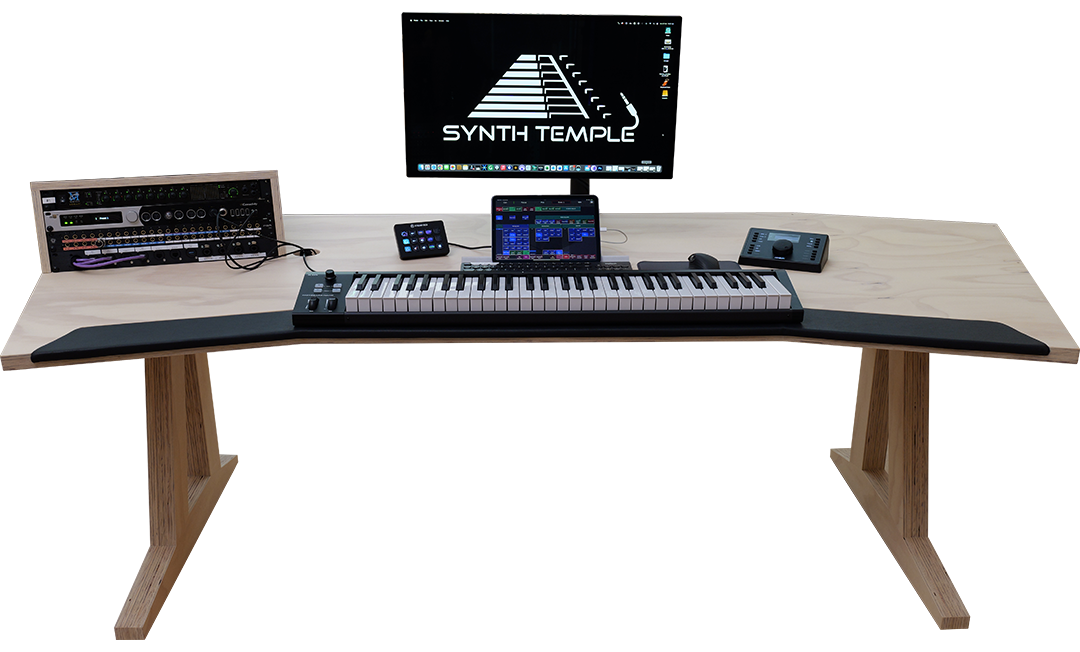
- Composers, producers and sound designers can patch a laptop into any pod, write and record and then move seamlessly onto another pod, rinse and repeat, all with local effects routing and monitoring in an ergonomically designed environment
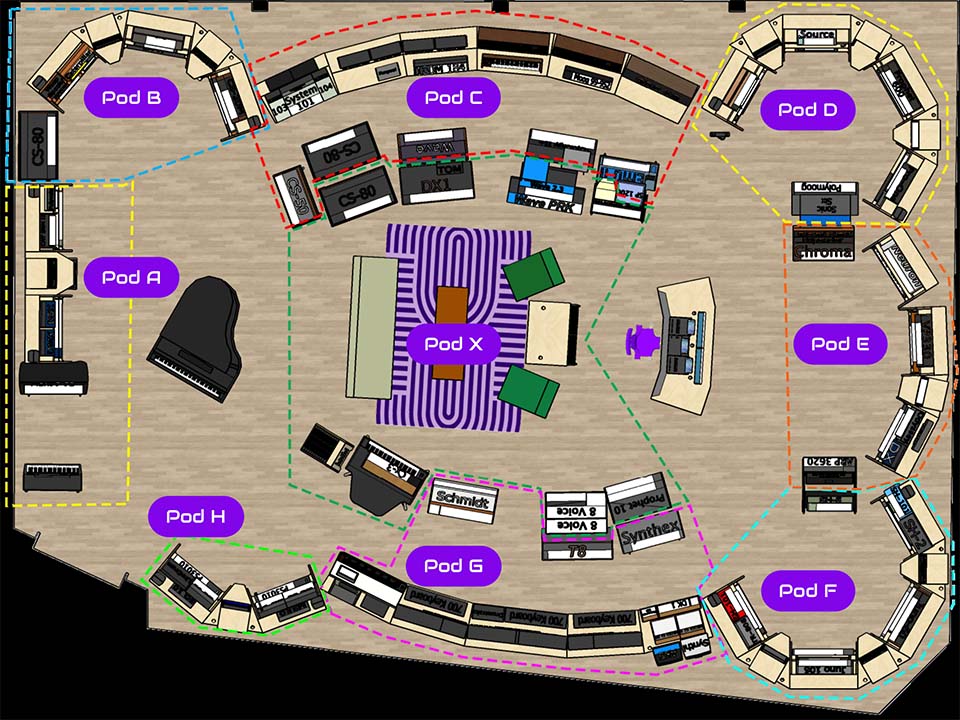
Synth Pod A Oberheim
Synth Pod B Yamaha and EDP
Synth Pod C Modulars and Polys
Synth Pod D Moog and Sequential
Synth Pod E String Synths
Synth Pod F Roland
Synth Pod G System 700 and Polys
Synth Pod H Korg
Synth Pod X Legendary Polys
- Each Synth Pod has between 7 and 20 meticulously maintained synths, including at least one drum machine
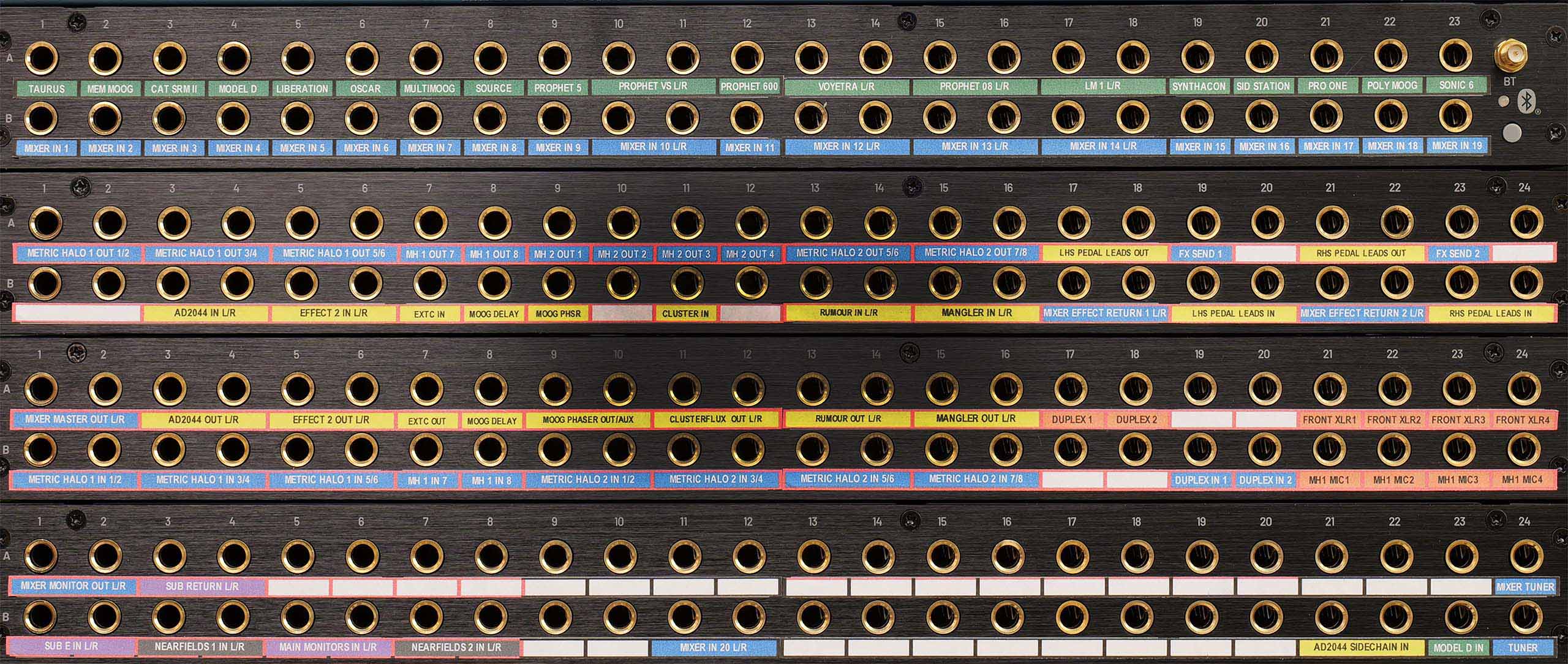
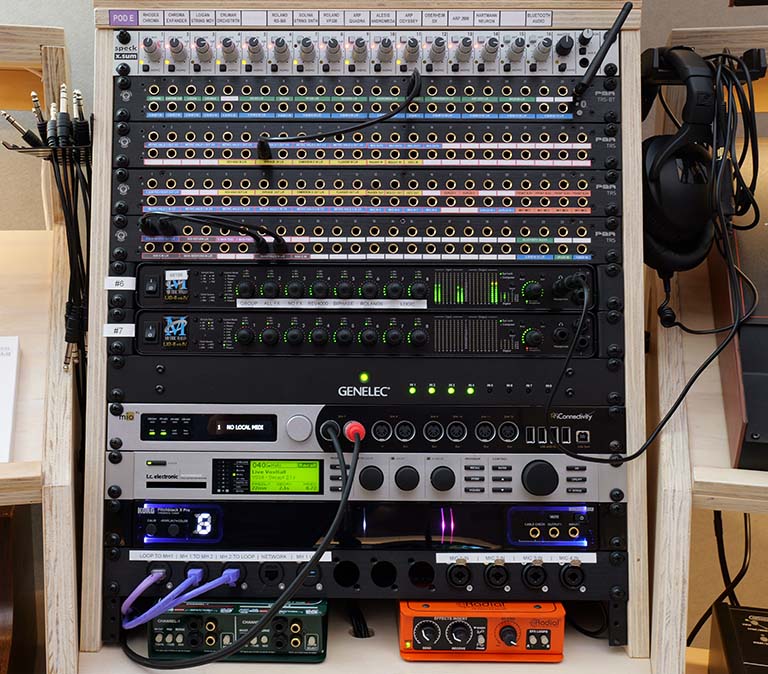
- Synths are routed to an analog ¼ inch patchbay, and from there into a Speck analog line mixer
- The analog mixer has headphone out and is also routed to a pair of Genelec local monitors
- Local hardware effects are routed to and from the patchbay, making it easy to patch in effects. We’ve even patched in a guitar pedal interface.
- There are at least 2 passive DIs, 1 active DI, tuner and 4 mic pre-amps routed to the patchbay in each Synth Pod, making it easy to add vocals, electric guitar and bass etc
- Metric Halo Mk IV A/D and D/A converters provide 16 channels of analog I/O, including 2 headphone outs, in each Synth Pod (except Pod H which has 8 channels and 1 headphone out). These are routed to the patchbay, making it easy to record to a DAW on a laptop or to send audio to and from the patchbay or back to the central control desk
- An iConnectivity MioXL MIDI interface provides local MIDI control over synths in the Synth Pod (except Pods H and X) and connectivity to the system-wide MIDI network.
- You can either use the DAW on your laptop (BYO) to clock the drum machine and synth arpeggiators or use the drum machine with a sync cable. It is also possible to clock every synth via the central control desk via MIDI (for those synths that accept MIDI clock or sync input)
- Synths and effects can readily be moved (subject to availability) and any of our mobile effects and pre-amp racks can be moved and connected to any patchbay in any Synth Pod

Four ways to use synth pods
1.
Local analog – play and synths locally via the analog patchbay, with analog effects and listen via the Speck mixer headphone out or local Genelec Monitors. Ideal for idea generation, composing, jamming and sound design. Easily BYO effects pedals and/or laptop with your own A/D converter (Mac or Windows) to patch into the ¼ inch patchbay for recording
2.
Local analog augmented with Metric Halo A/D and D/A – As for 1 but the audio can be routed in and out of the audio converters (using their onboard effects) and you gain the ability to use the Metric Halo MIOConsole3D Software templates, which include pre-configured effect sends and pre-patching to Logic Pro, as well as 2 separate headphone cue mixes. Editing the Metric Halo and Logic templates requires a Mac, but the pre-configured templates with hardware effects sends and returns are stored in the hardware units so you can use these with a Windows PC as well.
3.
Group performance. As for 2, but if you book Studio 1 with a group of friends we can route the audio from your Synth Pod to any or all of the 15 large Genelec speakers and 3 subs for an immersive group experience. Up to 2 independent cue mixes can be routed to each Synth Pod so you can hear your own mix locally. Each synth pod retains local MIDI control of the synths in that pod.
4.
Full room production. As for 2, but we route all the audio from the nine Synth Pods back to the central control desk so you can record and produce audio (including sends and returns to all the hardware effects units) to and from our main Mac Studio Ultra. This includes controlling all MIDIfied equipment from the main desk DAWs. You can easily use ipad apps like Logic Control, Cubase iC Pro and Avid Control to rove and room to trigger recording in the DAW from any Synth Pod

Create. Different.